In season, nothing has to change
Sap doesn't wait while you type. If the notebook in the sugarhouse and the tally sheet by the tank are what get you through the run, Sapline doesn't ask you to put them down. Collect the way you always have. The record can wait until the pans are clean.
- Nothing to type during the season unless you want to
- Handwritten collection and boiling logs are first-class inputs
- Prefer to key runs in the same day? The collection form is built for that too
The rule this page is built on: nothing new during the run. Every import path assumes the season already happened.
When the pans are clean, the paper comes in
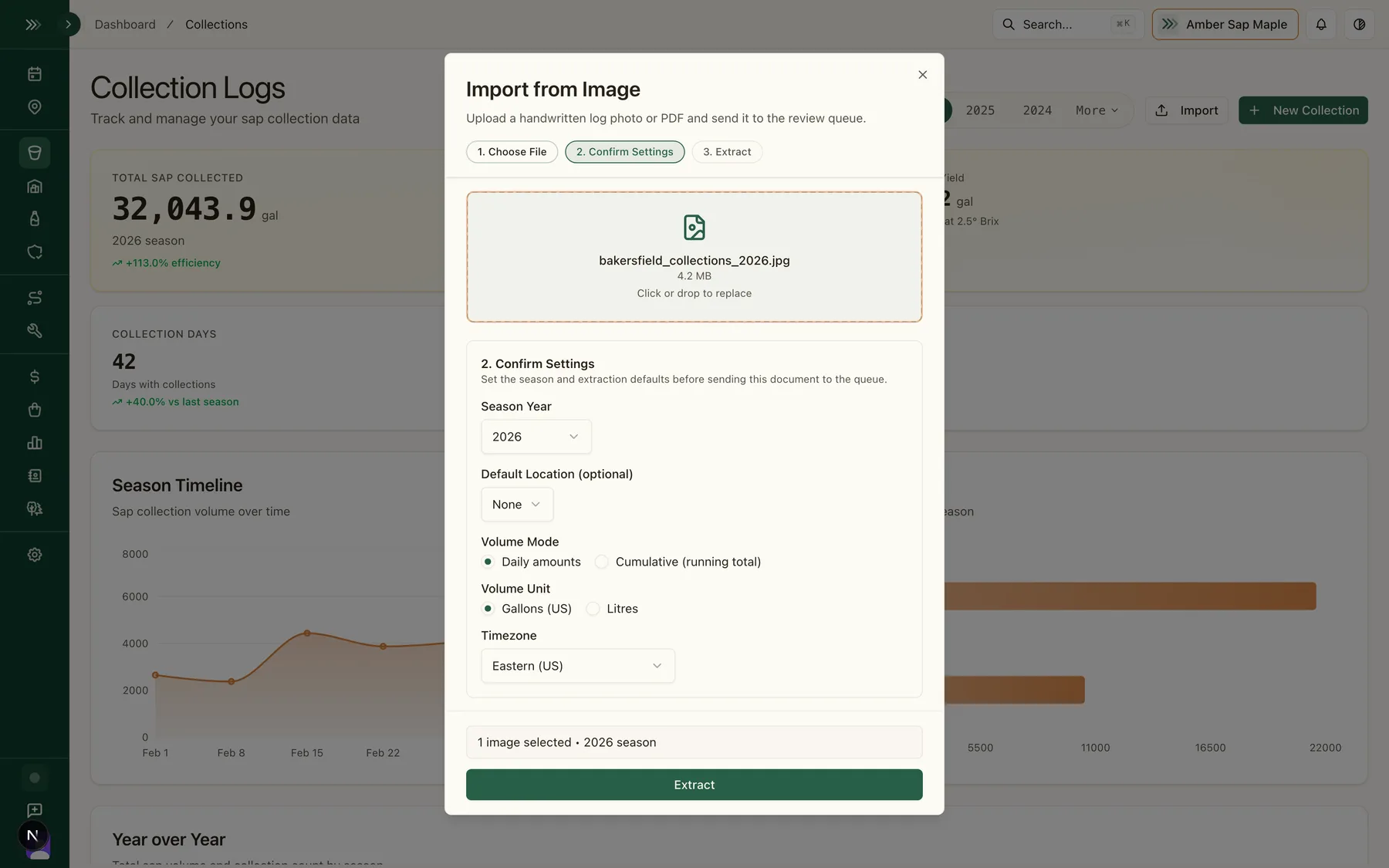
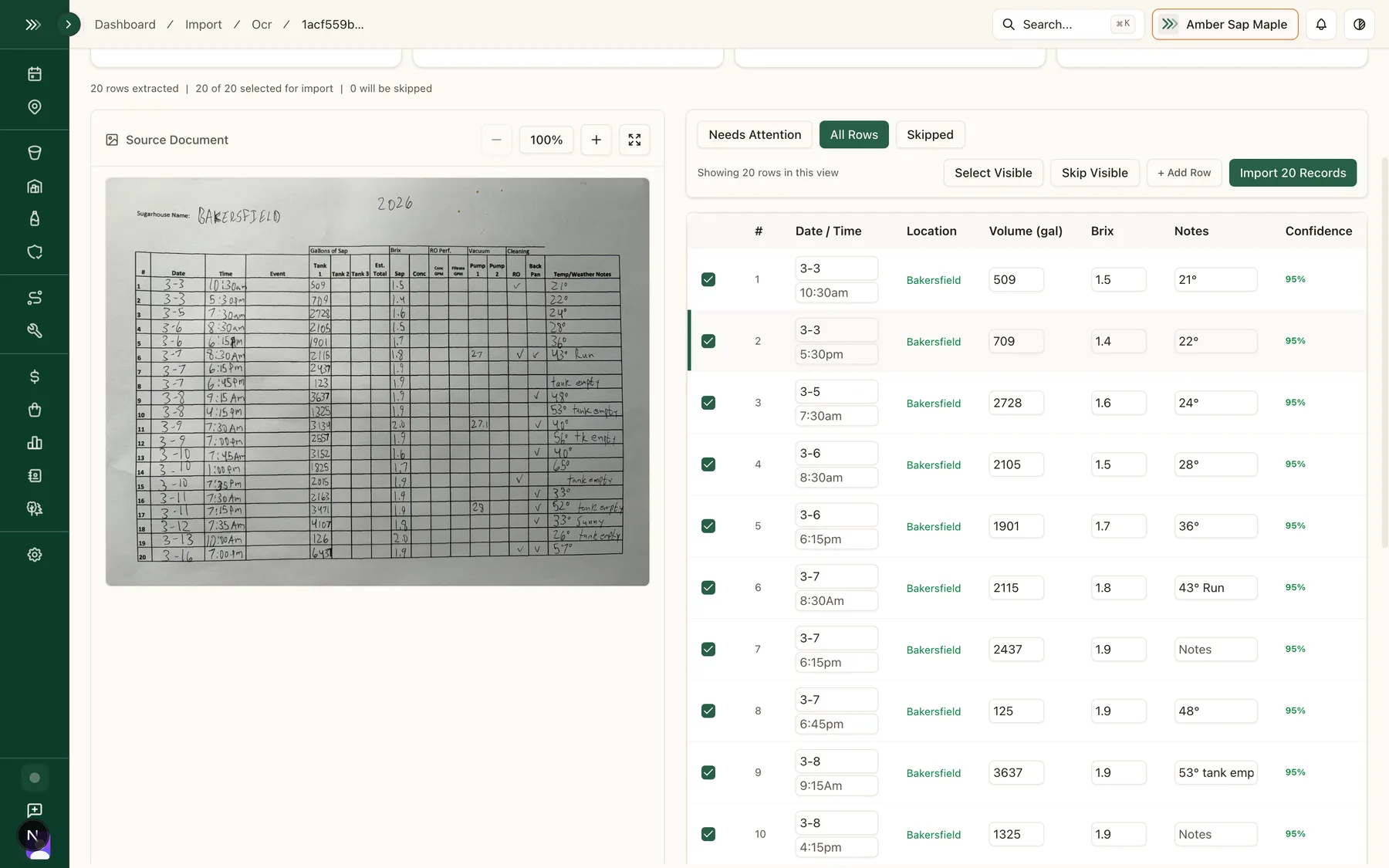
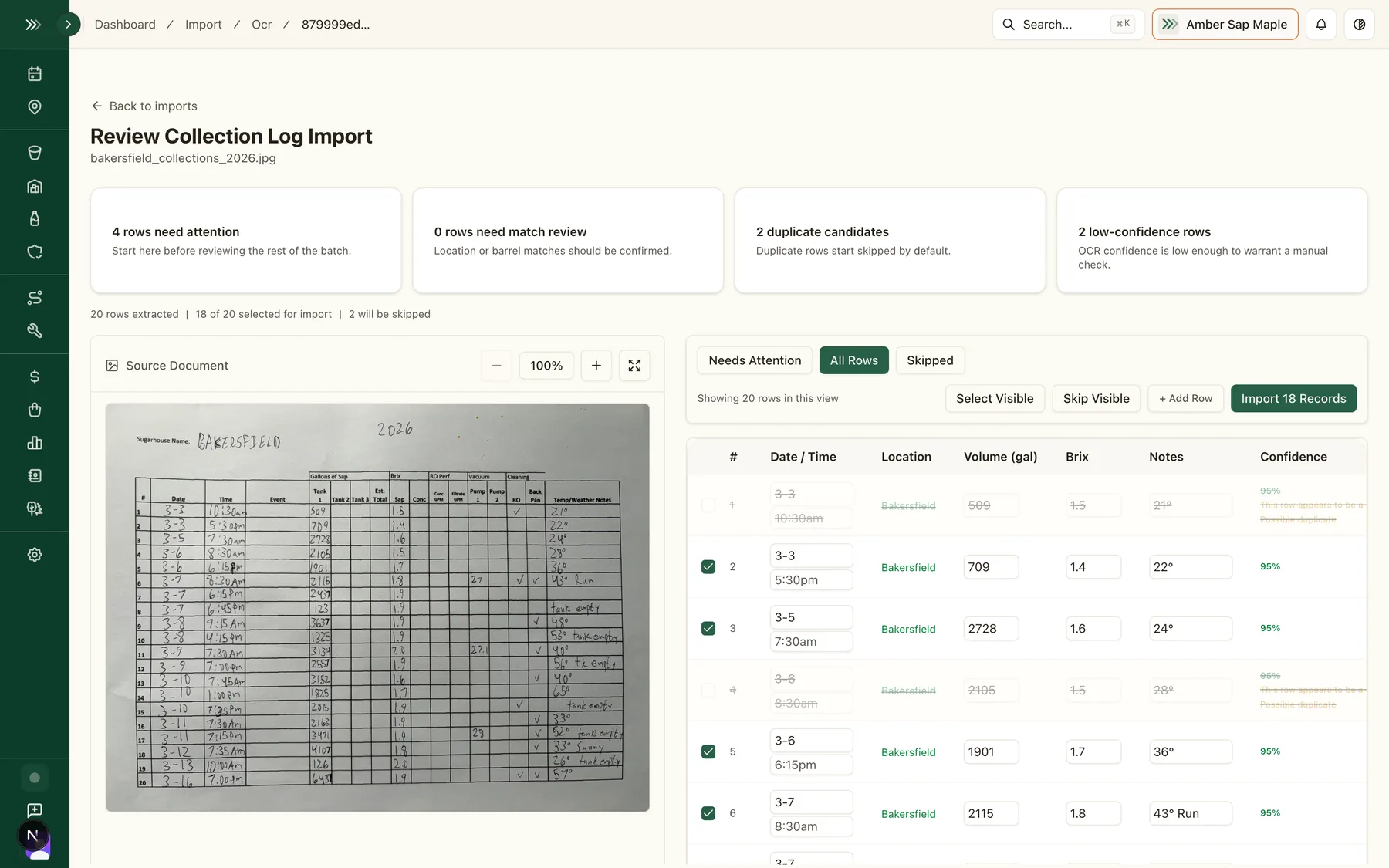
Photograph the sheets. Sapline reads the handwriting (OCR, optical character recognition) and shows you every line it found. Nothing saves until you sign off.
The back seasons come in by spreadsheet
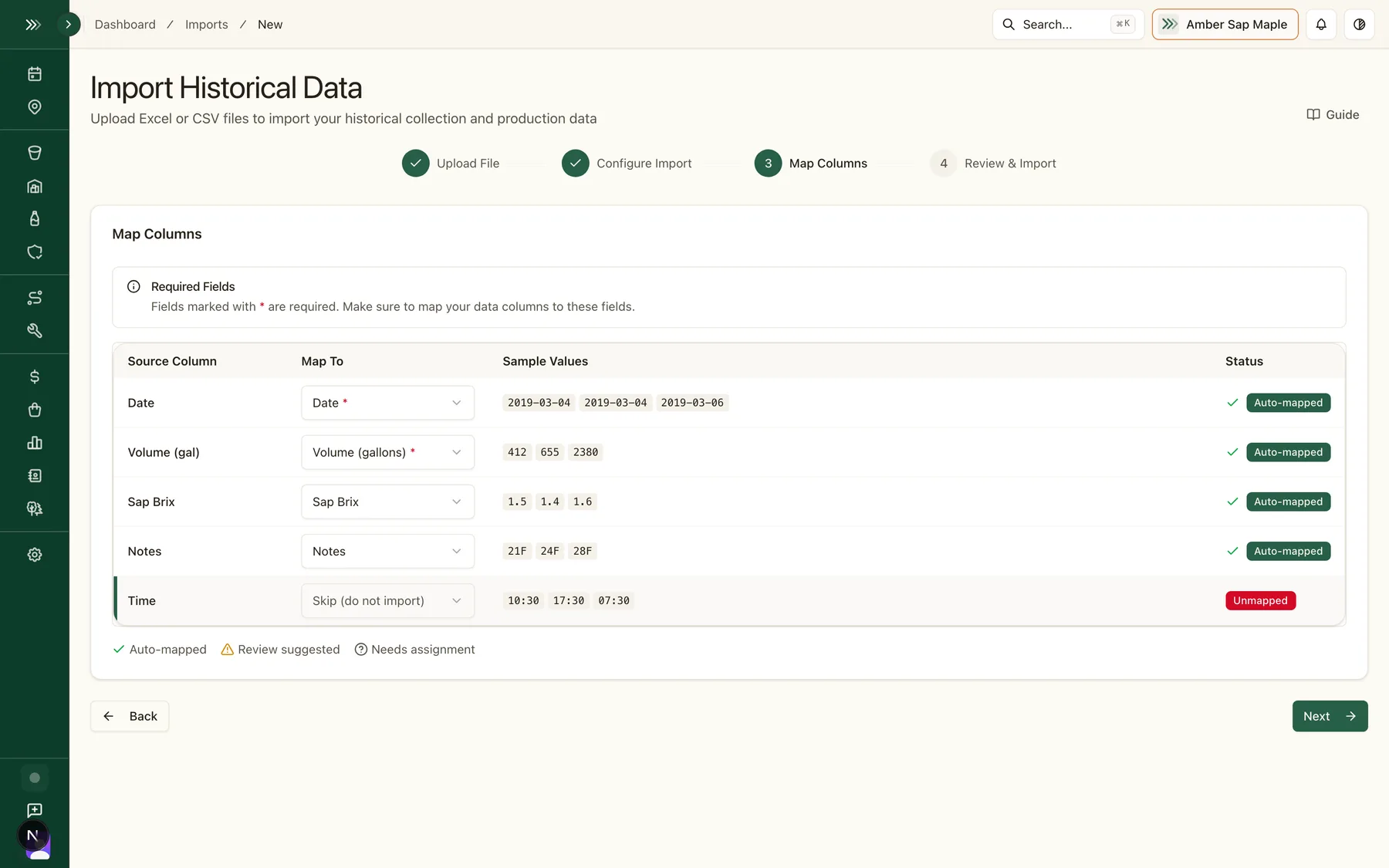
Ten years of workbooks don't need retyping. Bulk CSV import takes the spreadsheets you already keep and turns them into seasons in the same archive, with the same review before anything saves.
- Export the workbook to CSV: Excel, Numbers, and Sheets all do it
- Import season by season, or all of it in one sitting
- Past seasons sit beside this one in every comparison
The winter job is an afternoon in November, not an evening in March.
Next February, the record answers back
Tapping decisions, a grade history, a buyer asking what you produced two seasons ago. The winter job means the answer is a search away, not a box of notebooks away.
- Searchable collection historyevery run, every seasonLive
- Year-over-year comparisonsbuilt from your own runsLive
- Cost per gallon and profitabilityimported seasons includedLive
- Compliance-ready recordssupports audit and inspection prepLive
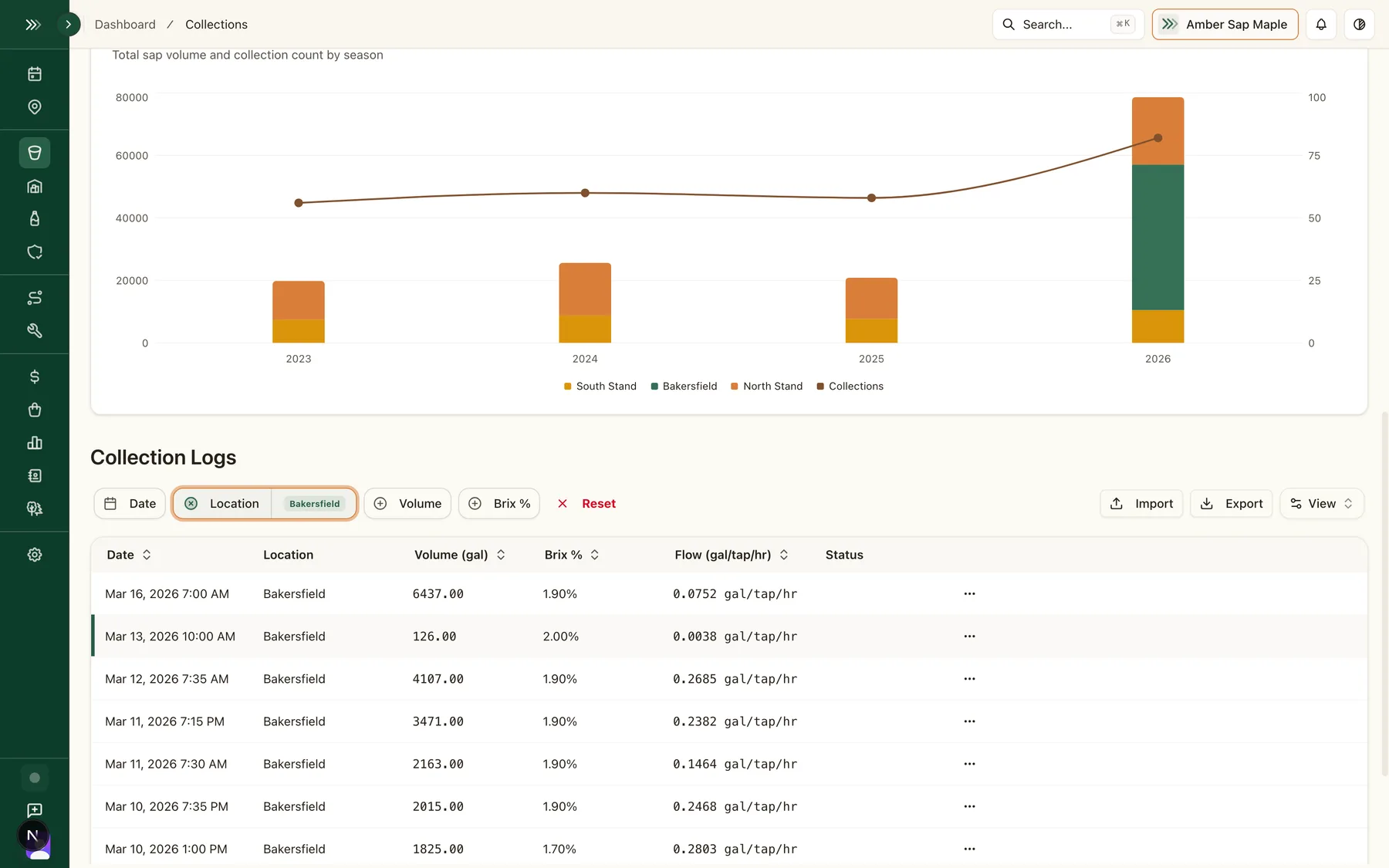
Every row above reads from the same records the imports build. There is no second data entry: the notebook photo from April is the analytics row in February.
You shouldn't have to choose between running your operation and recording it. Digitize at your own pace: this season's records, or ten seasons' worth.
Where the records go next
Forecasting, Collection & Boiling
Digitized logs feed directly into season analytics and year-over-year comparisons
Learn moreCompliance & Food Safety
Digital records support audit and inspection workflows
Learn moreBottling, Inventory & Traceability
Imported history connects to the tap-to-bottle traceability chain
Learn more